


Tennessean: News & eNewspaper
3.0169.00 Reviews
App Specs
- Version
- 8.10.3
- Updated On
- License
- Free
- Downloads
- 50,000+
- Developer
- USA TODAY Co.
- Categories
- News & Magazines
- Platform
- Android
Screenshots



 Analysis by AppCompare
During the first few days with a local news app, the appeal is easy to understand: I can check headlines while the kettle boils, then turn to the eNewspaper when I want a fuller read. The test that matters comes later, once the novelty of a new icon wears off. Does it fit into a routine, and does it offer enough distinct value to keep opening it? That’s the question I’d ask before making this a regular part of my phone.
A useful first-week routine
For someone who follows Tennessee closely, a practical way to start is to use the headlines for a quick scan and save the eNewspaper for a calmer moment. Those two ways of reading serve different moods: a feed is handy when I have a minute, while a newspaper-style edition encourages me to browse rather than jump from alert to alert. I would avoid trying to follow everything at once. Choosing a small number of subjects that genuinely affect your day makes a local news app easier to live with.
Picture a weekday morning: I have a few minutes before leaving home and want to know whether there is a local story worth following. A quick glance at the latest coverage can answer that. Later, during a break, I can return to the paper-style edition for a broader sense of what the publication is covering. This split use is more realistic than expecting to read every story as it appears, and it gives the app a role that a general national-news feed may not fill as well.
How it fits among news alternatives
The main choice is not simply between one app and another; it is between a local publication, a broad news aggregator, and a digital newspaper. An aggregator can be convenient when I want headlines from many outlets in one place, but it may not give Tennessee reporting the same prominence. A general national publication is often a better fit for readers whose interests are mainly national or international. The Tennessean’s appeal is more specific: it gives a reader with an interest in Tennessee a place to check local coverage and browse an eNewspaper experience.
That focus is also a trade-off. If I want one app to represent every viewpoint or cover every part of the world, a single local publication is not the whole answer. I would pair it with another source when a story has wider implications or when I want to compare reporting. For a Tennessee resident, former resident, or someone with family and interests in the state, though, local coverage can be the reason to keep it installed rather than relying on a broad feed alone.
Keeping the habit manageable
Alerts can help me catch a story that needs attention, but they can also turn a news app into a source of interruption. I’d treat notification choices as part of setting up the app, not as an all-or-nothing decision: keep only alerts that are useful enough to justify appearing during the day, and use the app itself for routine browsing. That small distinction helps preserve the value of breaking coverage without making every headline feel urgent.
For reading, I’d use the eNewspaper when I want a more deliberate session and articles when I need to look up a particular topic. If you expect to read away from a connection, check what is available to save or access before you travel rather than assuming every part of the app works offline. That is a sensible habit for any news service: prepare the material you intend to read while you have a connection, then avoid relying on a live feed in a place where one may not be available.
Worth Reading Before You Choose

EA SPORTS FC Mobile 26 Is a Bigger Football Game, but It Takes Time

Flipboard Shows What News Apps Must Do Beyond the Feed

Switching to Android Auto Means Rethinking Your Driving Routine

Google Calendar Makes a Crowded Week Easier to Manage

Ludo King Makes the Most of the Minutes Between Plans

Baby Panda World Brings Quick Play to Modern Phones, but Its Game Library Feels Busy
It is also worth deciding what “keeping up” means to you. A short daily check may be enough if you mainly want local headlines; someone following local sports or public affairs may prefer to return more often. I would not measure the app’s value by how many times I open it. A few useful visits that help me understand what is happening are better than constant checking that leaves me distracted.
Who gets lasting value from it?
I’d consider it for people who want Tennessee coverage to sit near the center of their news routine, especially readers who enjoy the structure of a newspaper as well as quick headline checks. It is less compelling for someone who rarely follows local news, wants a broad international briefing above all else, or dislikes switching between a feed and an edition-style reading experience. In those cases, an aggregator or a publication focused on broader coverage may suit better.
There is also a practical subscription question. The app is free to install, while in-app purchases are listed from $14.99 to $69.99 per item. I would explore the free experience first and check the terms shown in the app before paying, so the choice reflects what you actually read rather than an assumption that every feature is included. The right fit depends on whether the local reporting and eNewspaper experience earn a recurring place in your routine.
Hey there! If you’re on the hunt for a reliable news source on your phone, let me introduce you to the Tennessean: News & eNewspaper app. I’ve been tinkering around with this app for a bit now, and I’m here to spill the beans on everything you need to know about it. So grab a cup of coffee, and let’s dive in!
What’s the Buzz About?
First off, the Tennessean: News & eNewspaper app is your go-to digital companion if you’re interested in staying updated with the latest happenings in Tennessee and beyond. The app essentially brings the newspaper experience right to your fingertips, with articles covering a range of topics like politics, sports, entertainment, and more. It’s pretty much like having your morning paper, minus the ink-stained fingers.
Features That Stand Out
Alright, let’s talk features. What I really liked about this app is how user-friendly it is. The interface is clean and intuitive, making navigation a breeze even if you’re not tech-savvy. You can easily swipe through sections, find articles, and even bookmark stories for later. Here are a few standout features:
- eNewspaper Access: You get the full newspaper experience digitally. It’s laid out just like a physical newspaper, which is neat if you’re into that traditional feel.
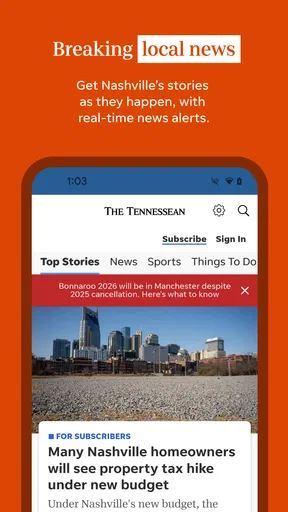
- Real-time News Feed: The app keeps you posted with a continuous stream of breaking news. You won’t miss a beat with this feature.
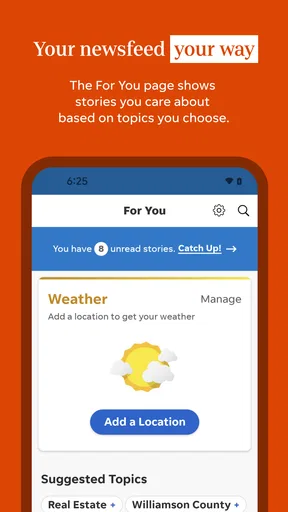
- Personalized Notifications: You can tailor notifications based on your interests, which means you only get alerts for stories that matter to you.
- Offline Reading: This is a lifesaver for those of us with spotty Wi-Fi or when you’re on a long flight without internet access. Download articles and read them offline!
Getting Around the App
The app’s design is straightforward, which I appreciate. When you open it, you’re greeted with the latest headlines and a navigation bar at the bottom. It’s super easy to switch between sections like news, sports, and opinion pieces. Plus, there’s a search function if you’re looking for something specific. The layout is clean, which makes reading enjoyable without any unnecessary distractions.
Reading Experience
Reading on the app is surprisingly comfortable. You can adjust the font size to suit your preference, and the text is easy on the eyes—perfect for those late-night reading sessions. The articles themselves are well-written and concise, which is a bonus if you’re like me and prefer getting to the point.
Why You Might Love It
If you’re a Tennessee local or just interested in what’s going on in the state, this app is a treasure trove of information. It’s also ideal for news junkies who love having access to a constant stream of updates. The personalized notifications mean you’re always in the loop about topics you care about, without getting bombarded with irrelevant news.
Conclusion
So, there you have it! The Tennessean: News & eNewspaper app is a solid choice for anyone looking to stay informed about Tennessee news. It’s user-friendly, packed with features, and offers a seamless reading experience. Whether you’re sipping your morning coffee or winding down for the night, this app has got your news fix covered. Give it a whirl and see if it becomes your new favorite news source!
What the numbers and upkeep suggest
The app comes from USA TODAY Co. and sits in the news and magazines category. Its average rating is 3.0 from 475 ratings, with 169 written reviews, and it has 50K+ installs. I read those figures as a reason to try it with realistic expectations rather than as a verdict on whether it will suit me: local relevance and reading habits matter more here than broad popularity. It is free to install, has an Everyone 10+ content rating, and its current version is 8.7.1, with iOS 8.0 listed as the minimum operating system.
News apps need a little maintenance from the reader. I’d revisit alert preferences after using the app for a while, because interests change and breaking updates can become noise if every topic is switched on. I’d also keep the app updated so I’m using the current release, and check any purchase details at the point of decision. These are small steps, but they help distinguish a useful daily source from an app that simply takes up space.
One limitation of a local publication is that its usefulness depends on how much you care about the place it covers. If your connection to Tennessee is occasional, the eNewspaper may be something you enjoy now and then rather than a daily need. And if you prefer a single chronological feed with stories from many publishers, the newspaper format may feel less direct. I would not treat either preference as a flaw; they are good reasons to choose a different kind of news app.
My long-term take
What gives this app a chance at lasting value is the combination of local coverage and a newspaper-style edition, not novelty or a promise to fill every news need. I’d keep it if I found myself returning for Tennessee stories, using the eNewspaper when I wanted a more complete reading session, and receiving only the alerts I actually cared about. If those habits never develop, there is little reason to force it into a routine.
For me, the best approach is to try it as a focused local source, compare its coverage with other outlets when a story matters, and decide after ordinary use whether the mix earns a regular place on the phone. The Tennessean is most convincing for readers who want Tennessee in their daily news picture; it is a less natural choice for someone seeking a comprehensive, all-purpose news service. That makes it a considered recommendation, not an automatic one.
Pros
- User-friendly interface for easy navigation.
- Real-time news updates keep you informed.
- Customizable notifications for top stories.
- Offline reading mode for convenience.
- High-quality images and videos enhance articles.
Cons
- Requires subscription for full access.
- Occasional ads can disrupt reading.
- Some features need stable internet.
- Limited customization for news categories.
- Initial load time can be slow.
FAQs for Tennessean: News & eNewspaper
What features does the Tennessean: News & eNewspaper app offer?
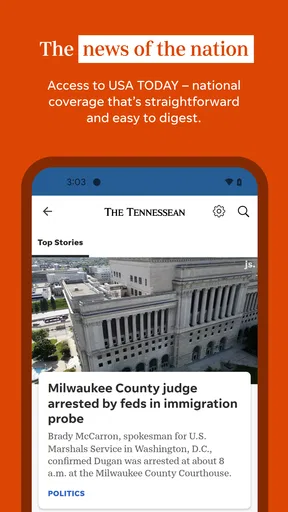
The Tennessean: News & eNewspaper app provides users with access to the latest local and national news, in-depth articles, and interactive features. Users can customize their news feed, receive notifications on breaking news, and access eNewspapers for a comprehensive reading experience. The app also offers multimedia content, including videos and photo galleries.
Is the Tennessean app free to use, or are there subscription requirements?
While the Tennessean app is free to download, it offers a subscription model for full access to all its content. Users can read a limited number of articles for free each month, but access to premium content, eNewspapers, and ad-free browsing requires a subscription. Various subscription plans are available, including monthly and annual options.
Can I access the Tennessean app offline?
Yes, the Tennessean app allows users to download articles and eNewspapers for offline reading. This feature is especially useful for those who want to stay informed without using data or Wi-Fi. Simply save the desired content while connected, and access it later at your convenience, even without an internet connection.
How do I customize my news feed in the Tennessean app?
Customizing your news feed in the Tennessean app is simple. Navigate to the settings or preferences section, where you can select your favorite topics and categories. This personalization ensures that you receive news updates tailored to your interests, allowing for a more engaging and relevant reading experience.
What should I do if I encounter technical issues with the app?
If you experience any technical difficulties with the Tennessean app, there are a few steps you can take. First, try restarting the app or your device. If the issue persists, check for updates in the app store, as updates often resolve common bugs. For further assistance, contact the app's support team through the help or feedback section within the app.


